ISS SSTV Operational

ISS SSTV image 12/12 received by Michał Zawada SQ5KTM at 2100 UT on January 31, 2015

ISS SSTV image 12/12 received by Michał Zawada SQ5KTM at 2055 UT on January 31, 2015

The Russian ARISS team on the International Space Station started the Slow Scan TV (SSTV) experiment, using the call sign RS0ISS, on 145.800 MHz FM at 1000 UT on Saturday, January 31.

ISS SSTV image 5/12 received by Murray Hely ZL3MH January 31, 2015

ISS SSTV image 5/12 received by Murray Hely ZL3MH January 31, 2015

Initially there was an issue with the transmissions, Paulo PV8DX in Brazil reported that the 1030 UT pass had a strong carrier but no there was no SSTV audio. As expected there was the 3 min transmission gap between what should have been SSTV transmissions.

The issue was resolved late afternoon and radio amateurs around the world were able to receive the SSTV pictures.

In New Zealand Murray Hely ZL3MH received several good pictures. He used a J Pole antenna with a masthead pre-Amp and a 1970’s FDK Multi 2000 transceiver. Murray has two computers one running the Instant Trak software and the other MMSSTV.

ISS SSTV image 1 received by Murray Hely ZL3MH January 31, 2015

ISS SSTV image 1/12 received by Murray Hely ZL3MH January 31, 2015

The transmissions are expected to continue until 2130 UT on Sunday, February 1.

See pictures that have been received and upload your images at http://www.spaceflightsoftware.com/ARISS_SSTV/

ISS Fan Club for current status
http://issfanclub.com/

Links for free SSTV software and tracking information at
https://amsat-uk.org/2015/01/29/iss-sstv-this-weekend/

ISS SSTV image 8/12 received by Raul LU5AG at 1120 UT on February 1, 2015

ISS SSTV image 8/12 received by Raul LU5AG at 1120 UT on February 1, 2015

Raul LU5AG reports: This morning [Feb 1] during the ISS 1120 UT pass over Buenos Aires, Argentina, this interesting image was received.

During the pass, and together with the SSTV audio, a soft, treble lacking female voice, was heard from time to time repeating a cyclic voice message I cannot understand, perhaps in Russian.

This audio was low, several dB below the SSTV audio. This voice message has some minor impact in the image quality that can be seen below the “RS0ISS” letters and about middle of the picture.

ISS SSTV image 11 received by Sally Dixon G7UCL at 2045 UT Jan 31, 2015 using tri-band omni antenna with FT-897

ISS SSTV image 11 received by Sally Dixon G7UCL at 2045 UT Jan 31, 2015 using tri-band omni antenna with FT-897

Slow Scan TV from the ISS this weekend

ISS SSTV image 9/12 received by Frank Heritage M0AEU at 19:21 UT on Dec 18, 2014

ISS SSTV image 4/12 received by Frank Heritage M0AEU at 19:21 UT on Dec 18, 2014

The Russian ARISS team members plan to activate the amateur radio Slow Scan TV (SSTV) experiment on 145.800 MHz FM from the International Space Station (ISS) during this weekend.

ISS SSTV image 9/12 received by Martin Ehrenfried G8JNJ using the SUWS WebSDR on Dec 18, 2014

ISS SSTV image 9/12 received by Martin Ehrenfried G8JNJ using the SUWS WebSDR on Dec 18, 2014

Continuous SSTV operation is planned from 1000 UT on Saturday, January 31 until 2130 UT on Sunday, February 1. It is expected that 12 different photos will be sent using the SSTV mode PD180 with 3 minute off periods between transmissions.

The equipment used will be the Kenwood D710 transceiver located in the Russian Service Module. It is thought the equipment may be producing about 25 watts output which should provide a very strong signal.

During the previous SSTV transmissions in December 2014, the photos celebrated the 80th anniversary of the birth of Yuri Gagarin, the first human to orbit Earth.

The images received by amateurs world-wide during those transmissions can be seen at http://www.spaceflightsoftware.com/ARISS_SSTV/

International Space Station - Image Credit NASA

International Space Station – Image Credit NASA

All you need to do to receive SSTV pictures direct from the space station is to connect the audio output of a scanner or amateur radio transceiver via a simple interface to the soundcard on a Windows PC or an Apple iOS device, and tune in to 145.800 MHz FM. You can even receive pictures by holding an iPhone next to the radio’s loudspeaker.

The ISS puts out a strong signal on 145.800 MHz FM and a 2m handheld with a 1/4 wave antenna will be enough to receive it. The FM transmission uses the 5 kHz deviation which is standard in much of the world.

Many FM rigs in the UK can be switched been wide and narrow deviation FM filters. For best results you should select the wider deviation filters. Handhelds all seem to have a single wide filter fitted as standard.

On Windows PC’s the free application MMSSTV can be used to decode the signal, on Apple iOS devices you can use the SSTV app for compatible modes. The ISS Fan Club website will show you when the space station is in range.

ISS SSTV image 12/12 received by Martin Ehrenfried G8JNJ using the SUWS WebSDR Dec 18, 2014

ISS SSTV image 12/12 received by Martin Ehrenfried G8JNJ using the SUWS WebSDR Dec 18, 2014

Paul Turner G4IJE, co-developer of the SSTV PD modes, says regarding the MMSSTV PD180 mode: “Don’t forget to either enable “Always show RX viewer” or use the “Picture viewer” (magnifying glass icon) to show the picture at its real resolution of 640 x 496. If you just view as normal you will only see 320 x 248 resolution, which kind of defeats the object of using a high resolution mode.”

On the AMSAT-BB Rick W2JAZ and Alan WA4SCA comment on the need to set the MMSSTV sound card setting to 48 kHz instead of the default 44.100 kHz
• Options
• Setup
• Misc
• Then the Clock section at the bottom of the page

The MMSSTV default setting may need to be set to 24000 (exactly half of the sound card setting). You then should get good clean images.

The sound card adjustments will vary slightly depending on the version of the OS you are running, but usually will be under the advanced properties for the device. You can probably use a higher sampling rate for the sound card so long as it is a power of 2 multiple (2,4,8, etc) of the value in MMSSTV. For instance, 192k (8x) has no issues. The same applies to most similar software.

You can receive the SSTV transmissions online using the SUWS WebSDR remote receiver located near London along with the MMSSTV software https://amsat-uk.org/2014/08/15/suws-websdr-moves-to-new-site/

ISS Fan Club – Tracking / Predictions http://www.issfanclub.com/

Free MMSSTV Slow Scan TV software http://hamsoft.ca/pages/mmsstv.php

iOS SSTV App https://itunes.apple.com/gb/app/sstv/id387910013

For more on Slow Scan Television SSTV, see this article SSTV – The Basics
http://www.essexham.co.uk/sstv-the-basics

How to be successful with the ISS Slow Scan Television (SSTV) imaging system
http://www.marexmg.org/fileshtml/howtoisssstv.html

IZ8BLY Vox Recoder, enables you to record the signals from the ISS on 145.800 MHz while you’re away at work http://antoninoporcino.xoom.it/VoxRecorder/

ARISS Slow Scan TV (SSTV) Blog and Gallery http://ariss-sstv.blogspot.co.uk/

Information on the MAI-75 SSTV experiment
http://www.energia.ru/eng/iss/researches/education-26.html

Video showing reception of SSTV using the FUNcube Dongle Pro SDR and SDR-RADIO going into Virtual Audio Cable (VAC) then to MMSSTV software https://www.youtube.com/watch?v=K6MOrX9iZCk

ISS SSTV received online with SUWS WebSDR
https://amsat-uk.org/2014/09/06/iss-sstv-on-suws-websdr/

ISS SSTV 1/12 received by Martin Ehrenfried G8JNJ using the SUWS WebSDR Dec 18, 2014

ISS SSTV 1/12 received by Martin Ehrenfried G8JNJ using the SUWS WebSDR Dec 18, 2014

ISS SSTV reception on a portable setup using RTL-SDR

Standing in a car park, I was able to successfully receive the images using a handheld 3 element 144 MHz Yagi antenna connected to a RTL-SDR USB dongle.

The dongle was connected to Windows-8 tablet using a USB OTG cable.
I was running SDR# to listen and record the FM audio on 145.800 MHz.
I had a LNA connected between the antenna and rtl-sdr but since the the downlink from the ISS was quite strong it was probably not required.

M0JJS

Watch ISS SSTV reception on a portable setup using RTL-SDR

ISS SSTV https://amsat-uk.org/2014/12/18/iss-sstv-success/

ISS SSTV success – More transmissions Saturday, December 20

ISS SSTV image 9/12 received by Frank Heritage M0AEU at 19:21 UT on Dec 18, 2014

ISS SSTV image 4/12 received by Frank Heritage M0AEU at 19:21 UT on Dec 18, 2014

During Thursday, December 18 the Russian ARISS team members successfully activated the amateur radio Slow Scan TV (SSTV) experiment from the International Space Station (ISS) on 145.800 MHz FM. Further transmissions using the callsign RS0ISS are planned for Saturday, December 20, 2014.

ISS SSTV image 9/12 received by Martin Ehrenfried G8JNJ using the SUWS WebSDR on Dec 18, 2014

ISS SSTV image 9/12 received by Martin Ehrenfried G8JNJ using the SUWS WebSDR on Dec 18, 2014

Among the many radio amateurs receiving the pictures was Frank Heritage M0AEU. His station comprised a 5 element crossed Yagi on a Yaesu 5600B Az/Ele rotator, about 4 metres above the ground, interfaced with a LVB Tracker. Frank used the Ham Radio Deluxe satellite program (v5) for the tracking and a Yaesu FT736R feeding audio to the free MMSSTV software on a Dell laptop.

Martin Ehrenfried G8JNJ used the online SUWS Web-based Software Defined Radio (WebSDR) located near London to receive a number of images during the day. Martin made the 144 and 430 MHz helix antennas for the WebSDR which are optimized for satellite reception. The SUWS WebSDR is available for anyone to use.

Other images received by amateurs world-wide can be seen at http://www.spaceflightsoftware.com/ARISS_SSTV/

The next ISS SSTV transmissions on 145.800 MHz should start around 12:40 UT on Saturday, December 20 and end at 21:30 UT. It is expected the SSTV mode will be PD180 with 3 minute off periods between transmissions. A total of 12 different photos will be sent, each celebrating the 80th anniversary of the birth of Yuri Gagarin, the first human to orbit Earth.

The transmission will be mode using the Kenwood D710 transceiver located in the Russian Service Module. It is thought the equipment may be producing about 25 watts output which should provide a very strong signal.

International Space Station - Image Credit NASA

International Space Station – Image Credit NASA

All you need to do to receive SSTV pictures direct from the space station is to connect the audio output of a scanner or amateur radio transceiver via a simple interface to the soundcard on a Windows PC or an Apple iOS device, and tune in to 145.800 MHz FM. You can even receive pictures by holding an iPhone next to the radio’s loudspeaker.

The ISS puts out a strong signal on 145.800 MHz FM and a 2m handheld with a 1/4 wave antenna will be enough to receive it. The FM transmission uses the 5 kHz deviation which is standard in much of the world.

Many FM rigs in the UK can be switched been wide and narrow deviation FM filters. For best results you should select the wider deviation filters. Handhelds all seem to have a single wide filter fitted as standard.

On Windows PC’s the free application MMSSTV can be used to decode the signal, on Apple iOS devices you can use the SSTV app for compatible modes. The ISS Fan Club website will show you when the space station is in range.
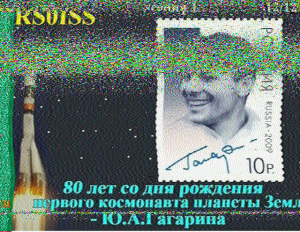
ISS SSTV image 12/12 received by Martin Ehrenfried G8JNJ using the SUWS WebSDR Dec 18, 2014

ISS SSTV image 12/12 received by Martin Ehrenfried G8JNJ using the SUWS WebSDR Dec 18, 2014

Paul Turner G4IJE, co-developer of the SSTV PD modes, says regarding the MMSSTV PD180 mode: “Don’t forget to either enable “Always show RX viewer” or use the “Picture viewer” (magnifying glass icon) to show the picture at its real resolution of 640 x 496. If you just view as normal you will only see 320 x 248 resolution, which kind of defeats the object of using a high resolution mode.”

On the AMSAT-BB Rick W2JAZ and Alan WA4SCA comment on the need to set the MMSSTV sound card setting to 48 kHz instead of the default 44.100 kHz
• Options
• Setup
• Misc
• Then the Clock section at the bottom of the page

The MMSSTV default setting may need to be set to 24000 (exactly half of the sound card setting). You then should get good clean images.

The sound card adjustments will vary slightly depending on the version of the OS you are running, but usually will be under the advanced properties for the device. You can probably use a higher sampling rate for the sound card so long as it is a power of 2 multiple (2,4,8, etc)  of the value in MMSSTV. For instance, 192k (8x) has no issues. The same applies to most similar software.

You can receive the SSTV transmissions online using the SUWS WebSDR remote receiver located near London along with the MMSSTV software https://amsat-uk.org/2014/08/15/suws-websdr-moves-to-new-site/

For more on Slow Scan Television SSTV, see this article SSTV – The Basics
http://www.essexham.co.uk/sstv-the-basics

How to be successful with the ISS Slow Scan Television (SSTV) imaging system
http://www.marexmg.org/fileshtml/howtoisssstv.html

Free MMSSTV Slow Scan TV software http://hamsoft.ca/pages/mmsstv.php

iOS SSTV App https://itunes.apple.com/gb/app/sstv/id387910013

IZ8BLY Vox Recoder, enables you to record the signals from the ISS on 145.800 MHz while you’re away at work http://antoninoporcino.xoom.it/VoxRecorder/

ARISS Slow Scan TV (SSTV) Blog and Gallery http://ariss-sstv.blogspot.co.uk/

Information on the MAI-75 SSTV experiment
http://www.energia.ru/eng/iss/researches/education-26.html

Video showing reception of SSTV using the FUNcube Dongle Pro SDR and SDR-RADIO going into Virtual Audio Cable (VAC) then to MMSSTV software https://www.youtube.com/watch?v=K6MOrX9iZCk

ISS SSTV received online with SUWS WebSDR
https://amsat-uk.org/2014/09/06/iss-sstv-on-suws-websdr/

ISS SSTV 1/12 received by Martin Ehrenfried G8JNJ using the SUWS WebSDR Dec 18, 2014
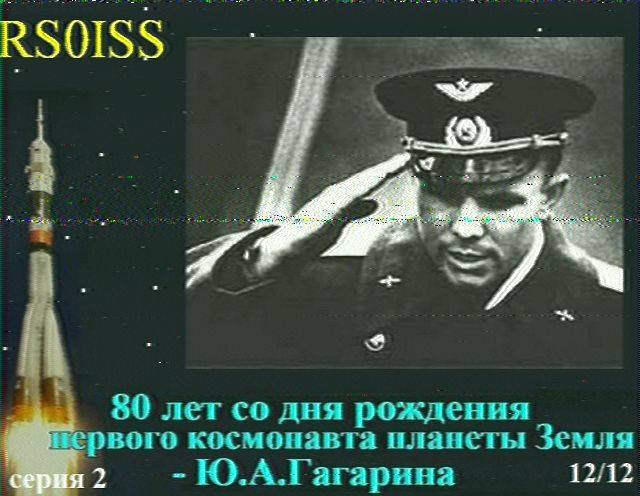
ISS SSTV 1/12 received by Martin Ehrenfried G8JNJ using the SUWS WebSDR Dec 18, 2014

SSTV transmissions from the ISS

International Space Station - Image Credit NASA

International Space Station – Image Credit NASA

The Russian ARISS team members plan to activate SSTV from the International Space Station on Thursday, December 18 and Saturday, December 20, 2014 .

ISS SSTV received by Jan van Gils PE0SAT Sept 26. 2014 at 14:02 GMT

ISS SSTV received by Jan van Gils PE0SAT Sept 26. 2014 at 14:02 GMT

Expected SSTV mode will be PD180 on 145.800 MHz with 3 minute off periods between transmissions. A total of 12 different photos will be sent during the operational period.

The transmission will be mode using the Kenwood D710 transceiver located in the Russian Service Module. It is thought the equipment will be producing about 5 watts output which should provide a very strong signal.

Start time would be around 14:20 UT on December 18 and 12:40 UT on December 20. The transmissions should terminate around 21:30 UT each day.

SpaceX was launching to the ISS this week and any delays could change SSTV operational times.

All you need to do to receive SSTV pictures direct from the space station is to connect the audio output of a scanner or amateur radio transceiver via a simple interface to the soundcard on a Windows PC or an Apple iOS device, and tune in to 145.800 MHz FM. You can even receive pictures by holding an iPhone next to the radio’s loudspeaker.

ISS SSTV received by Fabiano Moser CT7ABD on Sept 6, 2014 at 0910 GMT

ISS SSTV received by Fabiano Moser CT7ABD on Sept 6, 2014 at 0910 GMT

The ISS puts out a strong signal on 145.800 MHz FM and a 2m handheld with a 1/4 wave antenna will be enough to receive it. The FM transmission uses the 5 kHz deviation which is standard in much of the world.

Many FM rigs in the UK can be switched been wide and narrow deviation FM filters. For best results you should select the wider deviation filters. Handhelds all seem to have a single wide filter fitted as standard.

On Windows PC’s the free application MMSSTV can be used to decode the signal, on Apple iOS devices you can use the SSTV app. The ISS Fan Club website will show you when the space station is in range.

You can receive the SSTV transmissions online using the SUWS WebSDR remote receiver located near London along with the MMSSTV software https://amsat-uk.org/2014/08/15/suws-websdr-moves-to-new-site/ In the days before the SSTV starts why not practice listening to the ISS packet radio transmissions on 145.825 MHz FM.

For more on Slow Scan Television SSTV, see this article SSTV – The Basics
http://www.essexham.co.uk/sstv-the-basics

How to be successful with the ISS Slow Scan Television (SSTV) imaging system
http://www.marexmg.org/fileshtml/howtoisssstv.html

Free MMSSTV Slow Scan TV software http://hamsoft.ca/pages/mmsstv.php

iOS SSTV App https://itunes.apple.com/gb/app/sstv/id387910013

IZ8BLY Vox Recoder, enables you to record the signals from the ISS on 145.800 MHz while you’re away at work http://antoninoporcino.xoom.it/VoxRecorder/

ARISS Slow Scan TV (SSTV) Blog and Gallery http://ariss-sstv.blogspot.co.uk/

Information on the MAI-75 SSTV experiment
http://www.energia.ru/eng/iss/researches/education-26.html

Video showing reception of SSTV using the FUNcube Dongle Pro SDR and SDR-RADIO going into Virtual Audio Cable (VAC) then to MMSSTV software https://www.youtube.com/watch?v=K6MOrX9iZCk

ISS SSTV received online with SUWS WebSDR
https://amsat-uk.org/2014/09/06/iss-sstv-on-suws-websdr/

ISS SSTV received on SUWS WebSDR

ISS SSTV image received by Paulo PV8DX

ISS SSTV image received by Paulo PV8DX

On Saturday, September 6, at 1000 GMT Paulo PV8DX emailed the news that the International Space Station (ISS) Slow Scan Television (SSTV) on 145.800 MHz FM had been active again.

At the end of the passage (ISS) in northern Brazil where I live. I heard the sound of early SSTV. So I went to the WEBSDR in your area [the SUWS WebSDR near London, UK] and I got two images.

The ISS has been transmitting photographs devoted to the life and work of the first cosmonaut Yuri Gagarin. They were sent in the PD180 SSTV mode with additional voice commentary.

On August 27, 2014 a test of the ISS Slow Scan Television (SSTV) experiment MAI-75 using the Kenwood TM-D710 transceiver and a new cable took place. Although a carrier was successfully transmitted on 145.800 MHz no SSTV audio tones were heard. It appears that the earlier problem has now been rectified. https://amsat-uk.org/2014/08/23/iss-sstv-august-27/

ISS SSTV received by Jan van Gils PE0SAT Sept 26. 2014 at 14:02 GMT

ISS SSTV received by Jan van Gils PE0SAT Sept 26. 2014 at 1402 GMT

The Kenwood TM-D710 was delivered to the ISS in the summer of 2012. The original TM-D700 in the Russian ISS Service Module had been experiencing problems with the PA after giving many years service in space, see ARISS minutes for March 2013. It is thought the Kenwood TM-D710 is set to run at just 5 watts output because convection cooling doesn’t work in zero gravity. http://www.ariss.org/meeting-minutes/archives/03-2013

David Barber G8OQW received some good images in Chelmsford, Essex which can be seen on the AMSAT-UK Facebook page.

Listen to the ISS and amateur radio satellites online using the SUWS VHF/UHF/Microwave WebSDR https://amsat-uk.org/2014/08/15/suws-websdr-moves-to-new-site/

ISS Fan Club provides status and tracking information http://issfanclub.com/

How to hear the ISS https://amsat-uk.org/beginners/how-to-hear-the-iss/

Paul Turner G4IJE, co-developer of the SSTV PD modes, says regarding the PD180 mode: “Don’t forget to either enable “Always show RX viewer” or use the “Picture viewer” (magnifying glass icon) to show the picture at its real resolution of 640 x 496. If you just view as normal you will only see 320 x 248 resolution, which kind of defeats the object of using a high resolution mode.”

Tony Falla VK3KKP commented “I received a good picture from ISS on my iPad mid-Saturday evening [AEDT] on 145.800 MHz just using the microphone next to the rig.”

The APRS digipeater in the European Space Agency ISS Columbus module continued to be in operation on 145.825 MHz during the SSTV transmissions.

Watch a video of ISS SSTV reception by Dmitry Pashkov R4UAB

All you need to do to receive SSTV pictures direct from the space station is to connect the audio output of a scanner or amateur radio transceiver via a simple interface to the soundcard on a Windows PC or an Apple iOS device, and tune in to 145.800 MHz FM. You can even receive pictures by holding an iPhone next to the radio’s loudspeaker.

ISS SSTV received by Fabiano Moser CT7ABD on Sept 6, 2014 at 0910 GMT

ISS SSTV received by Fabiano Moser CT7ABD on Sept 6, 2014 at 0910 GMT

The ISS puts out a strong signal on 145.800 MHz FM and a 2m handheld with a 1/4 wave antenna will be enough to receive it. The FM transmission uses the 5 kHz deviation which is standard in much of the world.

Many FM rigs in the UK can be switched been wide and narrow deviation FM filters. For best results you should select the wider deviation filters. Handhelds all seem to have a single wide filter fitted as standard.

On Windows PC’s the free application MMSSTV can be used to decode the signal, on Apple iOS devices you can use the SSTV app. The ISS Fan Club website will show you when the space station is in range.

For more on Slow Scan Television SSTV, see this article SSTV – The Basics
http://www.essexham.co.uk/sstv-the-basics

How to be successful with the ISS Slow Scan Television (SSTV) imaging system
http://www.marexmg.org/fileshtml/howtoisssstv.html

Free MMSSTV Slow Scan TV software http://hamsoft.ca/pages/mmsstv.php

iOS SSTV App https://itunes.apple.com/gb/app/sstv/id387910013

IZ8BLY Vox Recoder, enables you to record the signals from the ISS on 145.800 MHz while you’re away at work http://antoninoporcino.xoom.it/VoxRecorder/

ARISS Slow Scan TV (SSTV) Blog and Gallery http://ariss-sstv.blogspot.co.uk/

Information on the MAI-75 SSTV experiment
http://www.energia.ru/eng/iss/researches/education-26.html